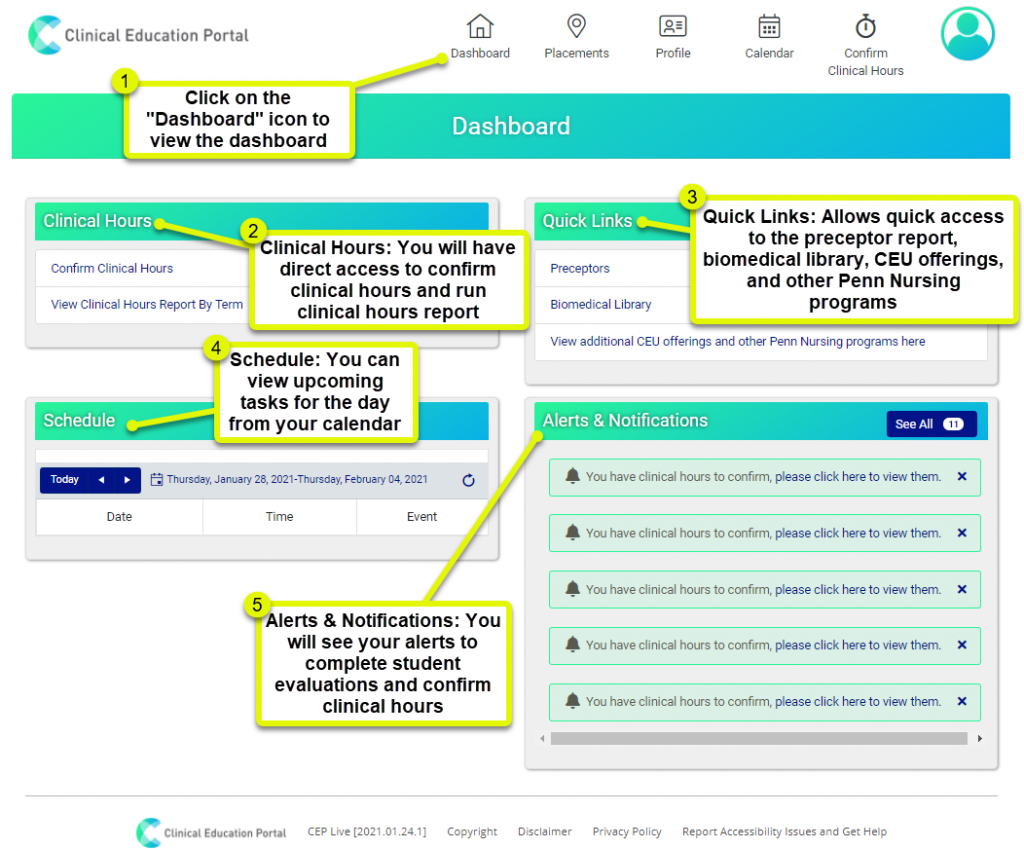
1. Dashboard: Click on the “Dashboard” icon to access the dashboard
2.Clinical Hours: You will have direct access to confirm clinical hours and run clinical hours report
3.Quick Links: Allows quick access to the preceptor report, biomedical library, CEU offerings, and other Penn Nursing programs
4.Schedule: You can view upcoming tasks for the day from your calendar
5.Alerts & Notifications: You will see your alerts to complete student evaluations and confirm clinical hours
- Once logged into CEP, you can find your alerts and notifications on your dashboard. You can also select “See All” to view all of your alerts and notifications.