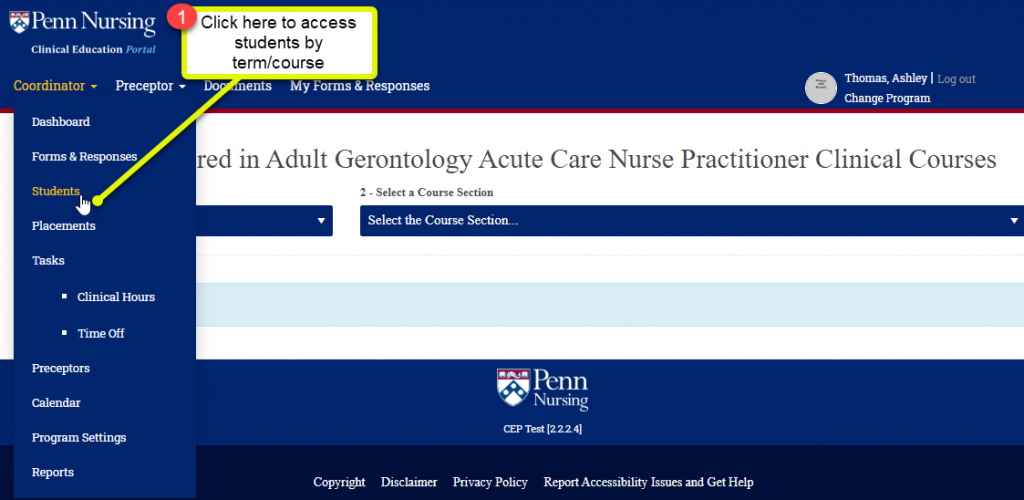
1. View students by clicking on the coordinator drop down:
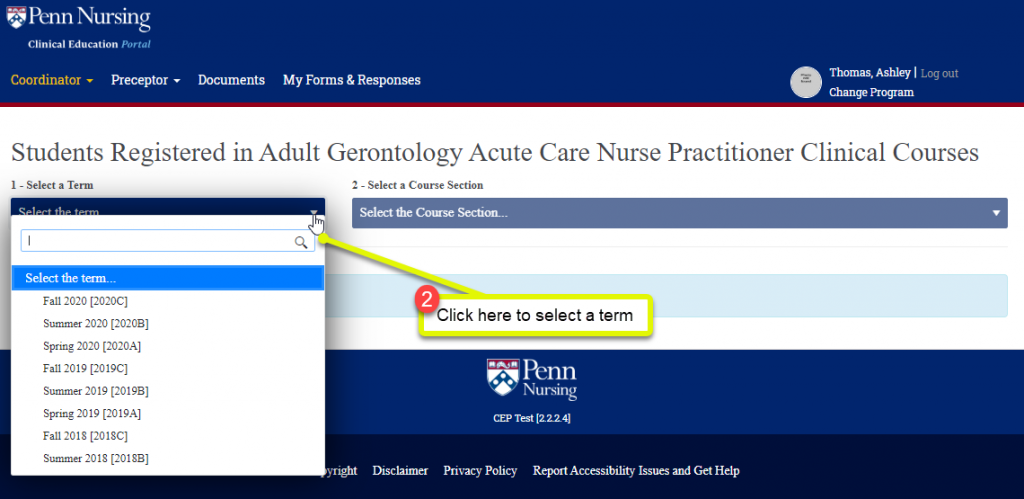
2. Select a term
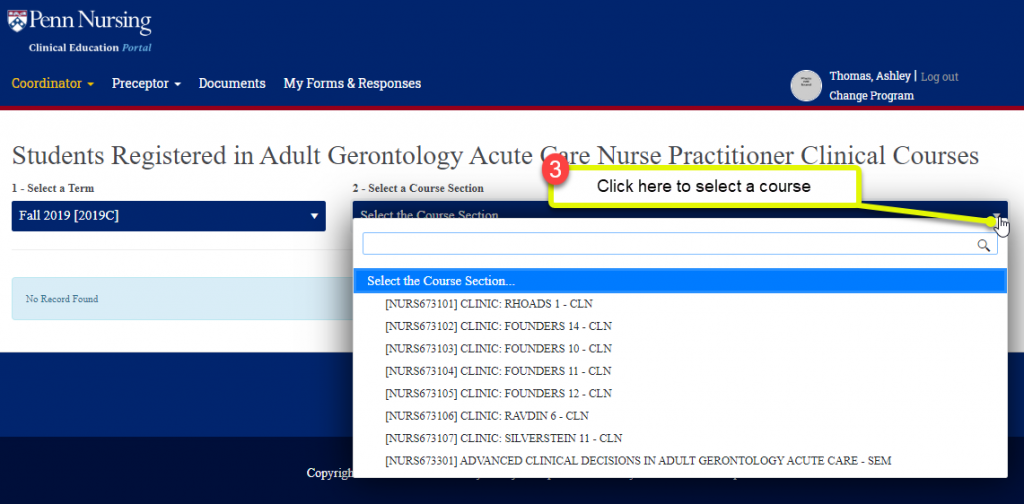
3. Select a course
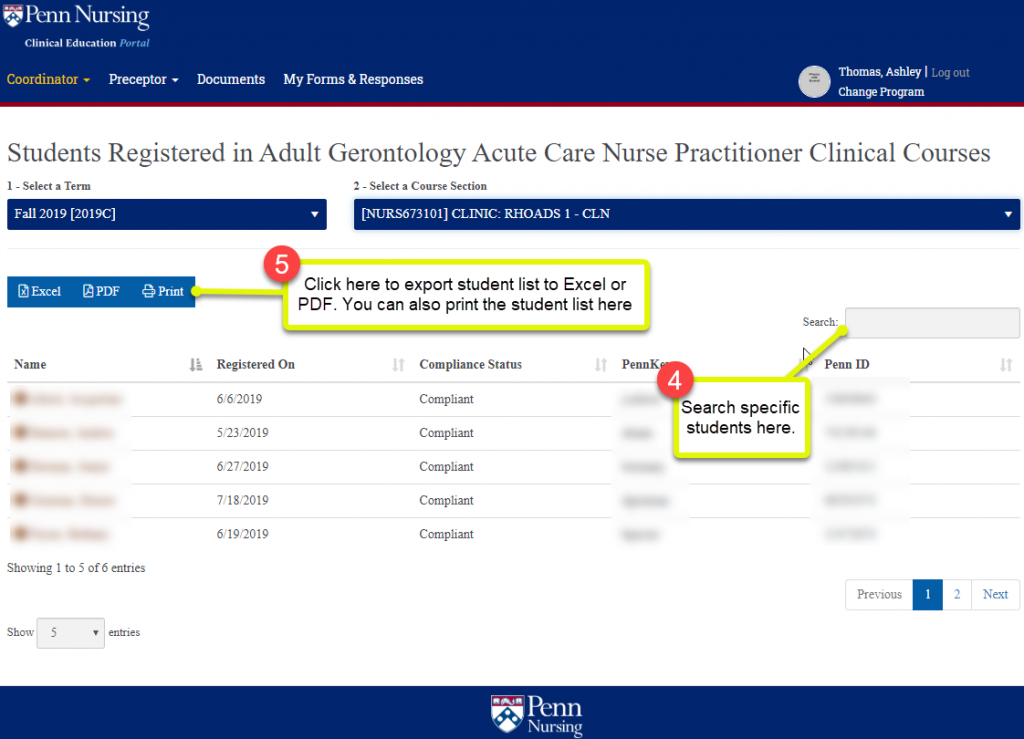
4. Search for specific students using the search box
5. Click the blue Excel/PDF/Print buttons to export report to Excel/PDF or print

1. View students by clicking on the coordinator drop down:
2. Select a term
3. Select a course
4. Search for specific students using the search box
5. Click the blue Excel/PDF/Print buttons to export report to Excel/PDF or print


Copyright 2020 @ Clinical Education Portal.